Layers
History
Layers
History
Resize many images at once
Free, nothing uploaded: scale many photos by longest side, with optional white square padding and max file size.
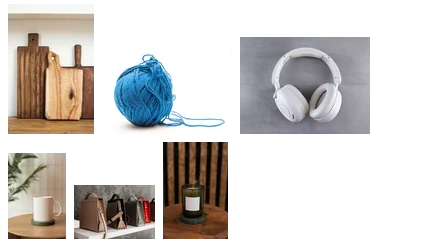 6 photos
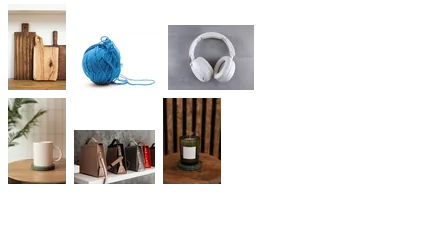 1600 px longest side
How to use it
Select the whole set. The first photo opens with the size card: type the longest side, and every image is scaled so its longer side fits, portrait and landscape alike, without cropping, stretching or enlarging. You can also turn on White square to pad photos onto a white square canvas or set a 200 KB / 500 KB max size before downloading one ZIP. On our six sample photos at 1600 px, 2400 × 1600 became 1600 × 1067, 1600 × 2400 became 1067 × 1600, and a 1500 × 1000 photo stayed as it was (tested 29 Oct 2026).
- Click Choose the images to resize and select every file you want.
- Type the Longest side in pixels, or pick 2048 px, 1600 px, 1080 px or 800 px. Click more than one to get several sizes at once: each size goes in its own folder in the ZIP (1600px/, 800px/). Turn on White square or pick 200 KB / 500 KB under Size limit when needed.
- Click Download ZIP to inspect per-file dimensions and KB in the card; for another size, change the number and download again.
| Item | Details |
|---|---|
| Opens | JPG, PNG, WebP, HEIC, GIF, BMP, AVIF; as many as you select |
| Saves | JPG, PNG and WebP keep their format (White square or Size limit exports JPG); names plus -resized; one ZIP |
| Tested | 6 sample photos at 1600 px: 1600 × 2400 → 1067 × 1600, 2400 × 1600 → 1600 × 1067, 2400 × 1800 → 1600 × 1200, 1500 × 1000 unchanged (29 Oct 2026) |
| Where | In your browser; the images are not uploaded |
Scaled to fit, never cropped: a 4:3 and a 3:4 photo given 1600 come out 1600 × 1200 and 1200 × 1600 unless White square is selected. Photos already smaller are left at their size. Setting a 200 KB or 500 KB limit re-encodes as JPG down to quality 50 before scaling smaller if needed; a GIF keeps only its first frame, and EXIF data is not carried over.
- How do I resize many photos at once for free?
- Select them all with Choose the images to resize, type the longest side and click Download ZIP. It is free and the photos stay in your browser.
- Can I make square white images or cap KB size here?
- Yes. Turn on White square in the card to pad onto a white square without cropping, or pick 200 KB / 500 KB under Size limit.
- Will small photos be enlarged?
- No. A photo smaller than the size you type keeps its own size.
- Can I make a large and a thumbnail size in one go?
- Yes. Click two or more of the longest-side chips, for example 1600 px and 800 px. The ZIP has a folder per size with every photo in it.
- How many at once?
- There is no fixed number; they all go into one ZIP.
Updated 2026-11-26
More tools300 dpi for printCompress image
Resize many images at once
Free, nothing uploaded: scale many photos by longest side, with optional white square padding and max file size.
6 photos1600 px longest sideHow to use it
Select the whole set. The first photo opens with the size card: type the longest side, and every image is scaled so its longer side fits, portrait and landscape alike, without cropping, stretching or enlarging. You can also turn on White square to pad photos onto a white square canvas or set a 200 KB / 500 KB max size before downloading one ZIP. On our six sample photos at 1600 px, 2400 × 1600 became 1600 × 1067, 1600 × 2400 became 1067 × 1600, and a 1500 × 1000 photo stayed as it was (tested 29 Oct 2026).
- Click Choose the images to resize and select every file you want.
- Type the Longest side in pixels, or pick 2048 px, 1600 px, 1080 px or 800 px. Click more than one to get several sizes at once: each size goes in its own folder in the ZIP (1600px/, 800px/). Turn on White square or pick 200 KB / 500 KB under Size limit when needed.
- Click Download ZIP to inspect per-file dimensions and KB in the card; for another size, change the number and download again.
| Item | Details |
|---|---|
| Opens | JPG, PNG, WebP, HEIC, GIF, BMP, AVIF; as many as you select |
| Saves | JPG, PNG and WebP keep their format (White square or Size limit exports JPG); names plus -resized; one ZIP |
| Tested | 6 sample photos at 1600 px: 1600 × 2400 → 1067 × 1600, 2400 × 1600 → 1600 × 1067, 2400 × 1800 → 1600 × 1200, 1500 × 1000 unchanged (29 Oct 2026) |
| Where | In your browser; the images are not uploaded |
Scaled to fit, never cropped: a 4:3 and a 3:4 photo given 1600 come out 1600 × 1200 and 1200 × 1600 unless White square is selected. Photos already smaller are left at their size. Setting a 200 KB or 500 KB limit re-encodes as JPG down to quality 50 before scaling smaller if needed; a GIF keeps only its first frame, and EXIF data is not carried over.
- How do I resize many photos at once for free?
- Select them all with Choose the images to resize, type the longest side and click Download ZIP. It is free and the photos stay in your browser.
- Can I make square white images or cap KB size here?
- Yes. Turn on White square in the card to pad onto a white square without cropping, or pick 200 KB / 500 KB under Size limit.
- Will small photos be enlarged?
- No. A photo smaller than the size you type keeps its own size.
- Can I make a large and a thumbnail size in one go?
- Yes. Click two or more of the longest-side chips, for example 1600 px and 800 px. The ZIP has a folder per size with every photo in it.
- How many at once?
- There is no fixed number; they all go into one ZIP.
Updated 2026-11-26
More tools300 dpi for printCompress image